Monday, June 12, 2006


Automatic Startup Shutdown Oracle 10g R2 (10.2.0.1)
database utilizing ASM on CentOS 4.3 (RHEL AS 4 U 3)


In general we follow Jeff Hunter [1].However, scripts starting ASM databases are not just like in [1] due to different ORACLE_HOME's directories for ASM instance and database utilizing ASM in case of 10g R2 version of server. In 10.2.0.1 case script /etc/init.d/dbora doesn't export any ORACLE_HOME value.
It just runs script in ~oracle directory responsible for export right ORACLE_HOME value at right time
1. Follow [1] and make changes to /etc/inittab


Original /etc/inittab file:


(...)
# System initialization.
si::sysinit:/etc/rc.d/rc.sysinit

l0:0:wait:/etc/rc.d/rc 0
l1:1:wait:/etc/rc.d/rc 1
l2:2:wait:/etc/rc.d/rc 2
l3:3:wait:/etc/rc.d/rc 3
l4:4:wait:/etc/rc.d/rc 4
l5:5:wait:/etc/rc.d/rc 5
l6:6:wait:/etc/rc.d/rc 6
(...)
h1:35:respawn:/etc/init.d/init.cssd run >/dev/null 2>&1 </dev/null


Modified /etc/inittab file:


(...)
# System initialization.
si::sysinit:/etc/rc.d/rc.sysinit

l0:0:wait:/etc/rc.d/rc 0
l1:1:wait:/etc/rc.d/rc 1
l2:2:wait:/etc/rc.d/rc 2
h1:35:respawn:/etc/init.d/init.cssd run >/dev/null 2>&1 </dev/null
l3:3:wait:/etc/rc.d/rc 3
l4:4:wait:/etc/rc.d/rc 4
l5:5:wait:/etc/rc.d/rc 5
l6:6:wait:/etc/rc.d/rc 6
(...)


2.Create file /etc/init.d/dbora:


SLEEP_TIME=180
ORACLE_OWNER=oracle

case "$1" in
start)
sleep $SLEEP_TIME
su - $ORACLE_OWNER -c "/home/oracle/dbStart"
touch /var/lock/subsys/dbora
;;

stop)
su - $ORACLE_OWNER -c "/home/oracle/dbStop"
rm -f /var/lock/subsys/dbora
;;

*)
echo $"Usage: $prog {start|stop}"
exit 1
esac
exit


3.Script ~oracle/dbStart:


export ORACLE_HOME=/u01/app/oracle/product/10.2.0/ASM
lsnrctl start
export ORACLE_HOME=/u01/app/oracle/product/10.2.0/db_2
lsnrctl start
$ORACLE_HOME/bin/dbstart
$ORACLE_HOME/bin/isqlplusctl start
$ORACLE_HOME/bin/emctl start dbconsole


4.Script ~oracle/dbStop:


export ORACLE_HOME=/u01/app/oracle/product/10.2.0/db_2
$ORACLE_HOME/bin/isqlplusctl stop
$ORACLE_HOME/bin/emctl stop dbconsole
$ORACLE_HOME/bin/dbshut
export ORACLE_HOME=/u01/app/oracle/product/10.2.0/db_2
lsnrctl stop
export ORACLE_HOME=/u01/app/oracle/product/10.2.0/ASM
lsnrctl stop


5.Creating symbolic links for /etc/init.d/dbora:


# ln -s /etc/init.d/dbora /etc/rc5.d/S99dbora
# ln -s /etc/init.d/dbora /etc/rc0.d/K10dbora
# ln -s /etc/init.d/dbora /etc/rc6.d/K10dbora


6. System restart.


References.


"Installing Oracle10g Release 1 (10.1.0) on
Linux-(RHEL 4)" at http://www.idevelopment.info
by Jeff Hunter

Saturday, June 03, 2006


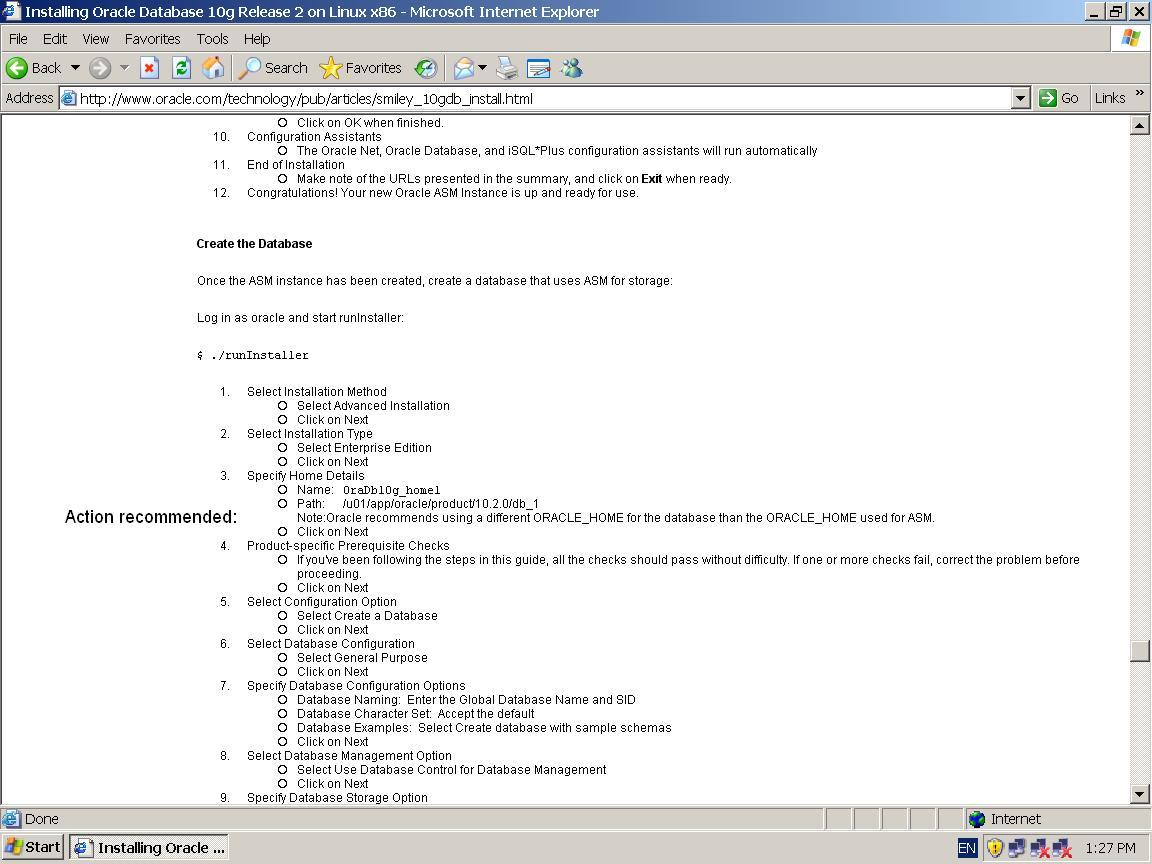
One more independent opinion regarding discussed issue.


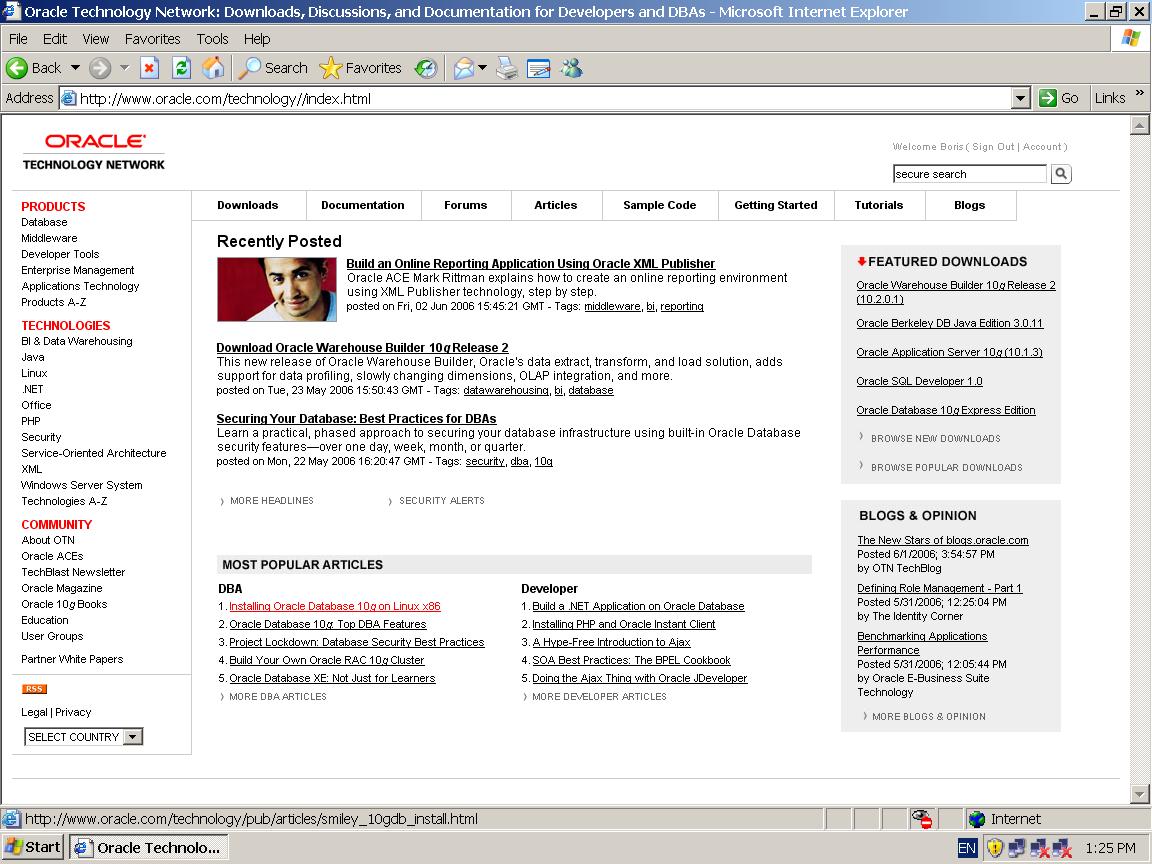
At mean time on OTN front page you may view:-


Friday, June 02, 2006


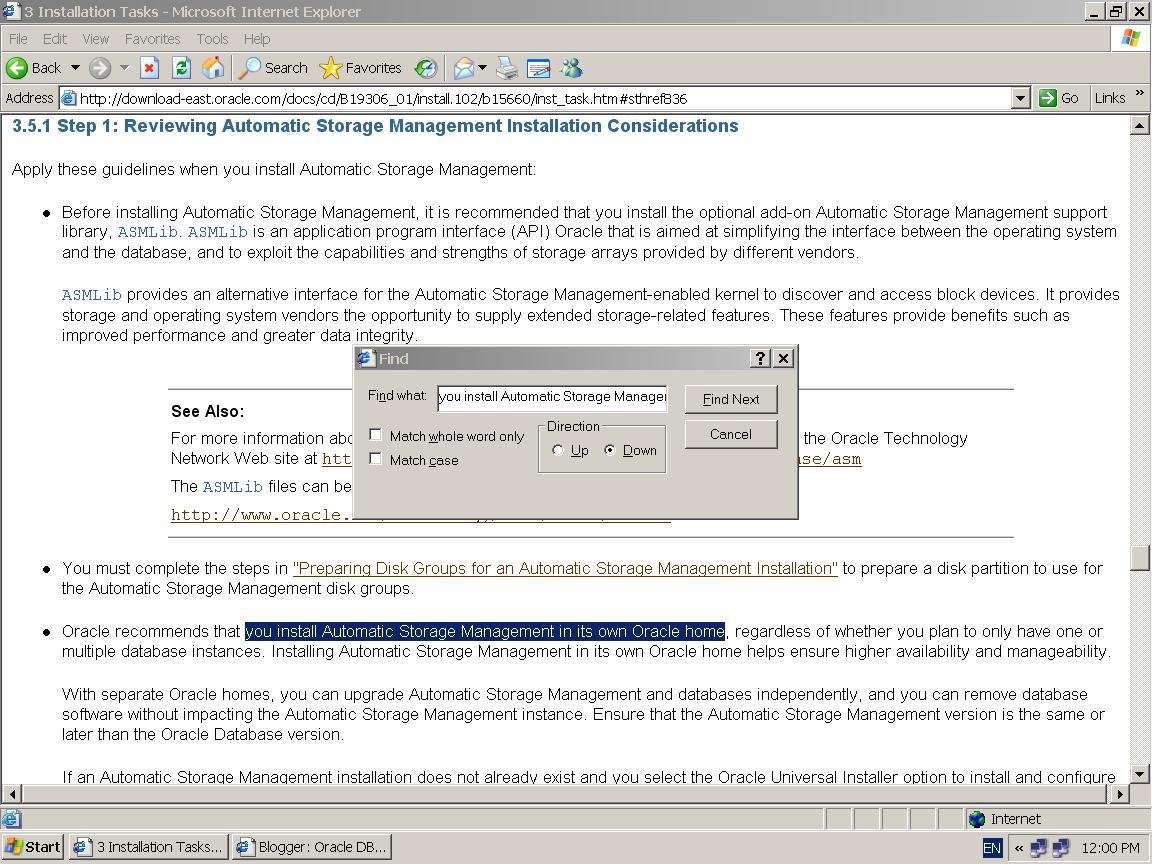
"Searching for Timm Hall's Quote"


Searching for "ASM and the database can share a single Oracle home"


Searching for just "single"


Searching for quote mentioned by myself


Tuesday, May 30, 2006


TopLink JPA inside EJB 3.0 Container (JDeveloper 10.1.3)


Application designed satisfies same business requirements
as [1] and doesn't contain any hands written code line
for creating new orders and editing existing.
Deleting orders from Master-Detail page requieres modifying of
default method embedded into JSF managed Bean.


Import jpauser schema created in [2] in JDeveloper 10.1.3
environment. Tune Jdeveloper 10.1.3 environment to complete the task and generate Session EJB 3.0 for TopLink POJOs imported from jpauser schema.


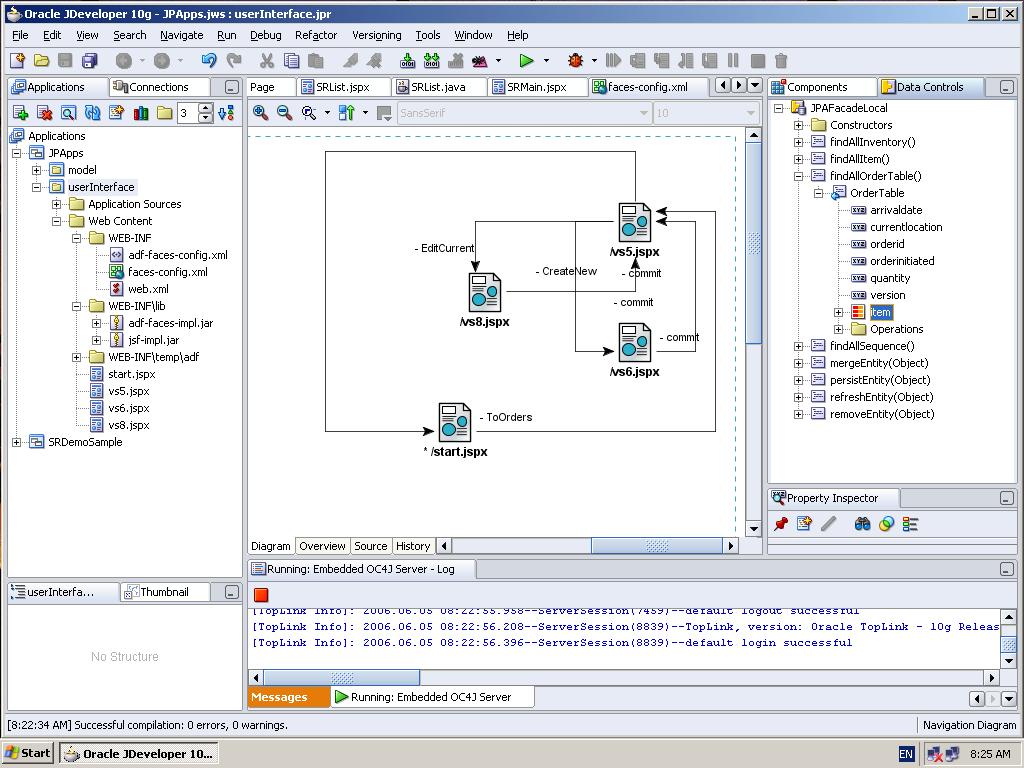
Create all JSF pages (as *.jspx files backing up UI to Managed Beans),invoke method persistEntity(Object entity) for "Creation order" page (for particular item) , invoke method mergeEntity(Object entity) for "Editing order" page (for particular item)

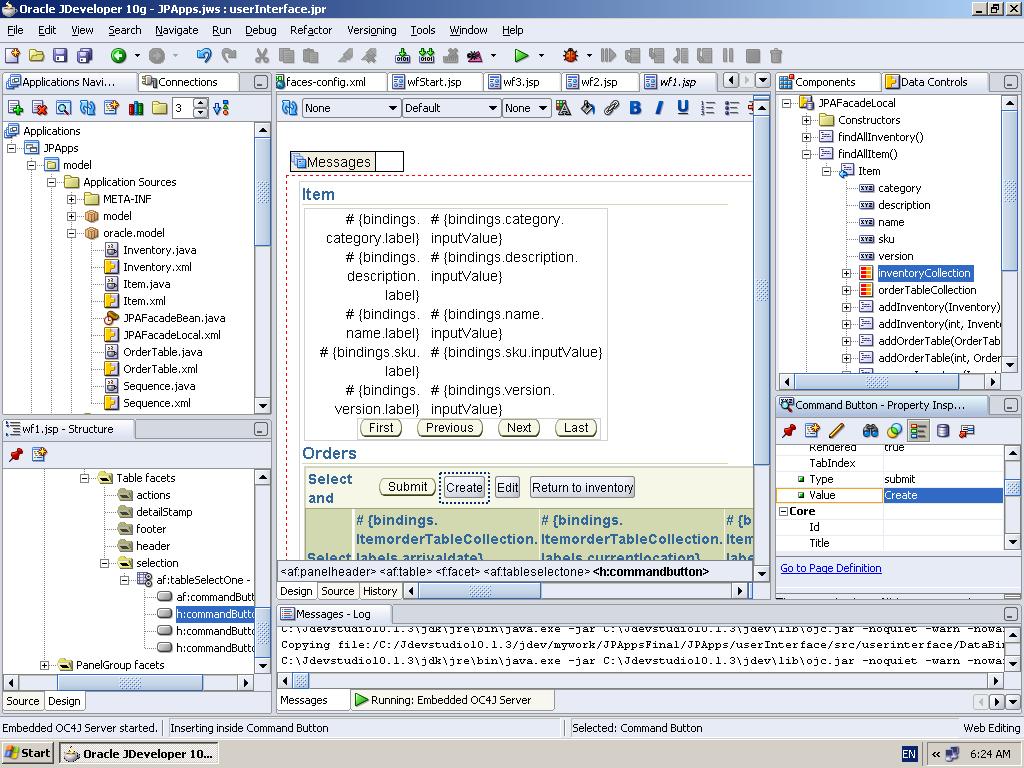
Create table form has been used for data input.
Method persistEntity() refreshes target screen automatically.


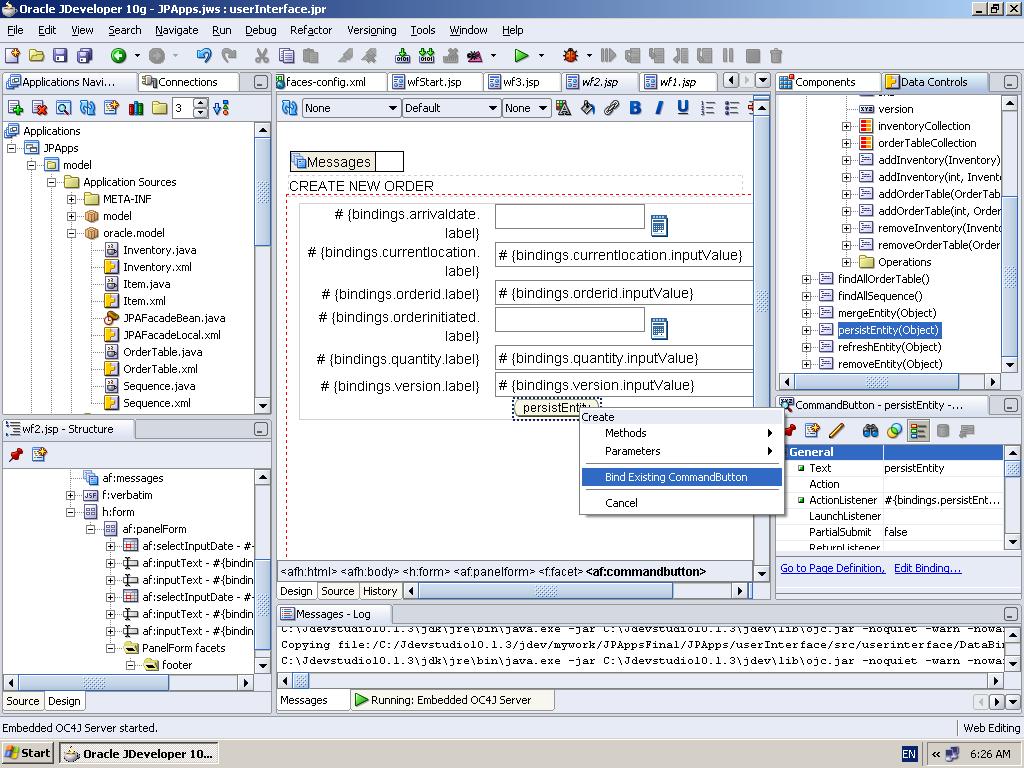
Drag and drop persistEntity(Object) from Data Controls into
JSP area covering button "Submit".


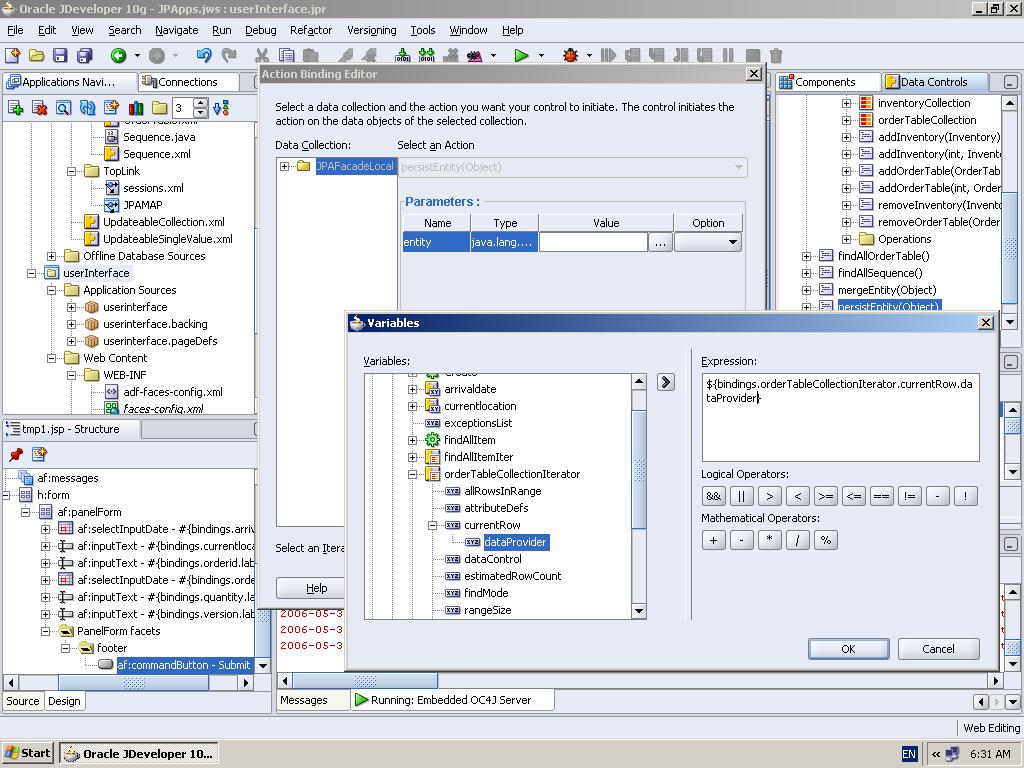
Next step - edit action binding for the "persistEntity" button:


Same action should be performed for "order editing"
page regarding mergeEntity(Object entity) method and editing action binding for corresponding button.
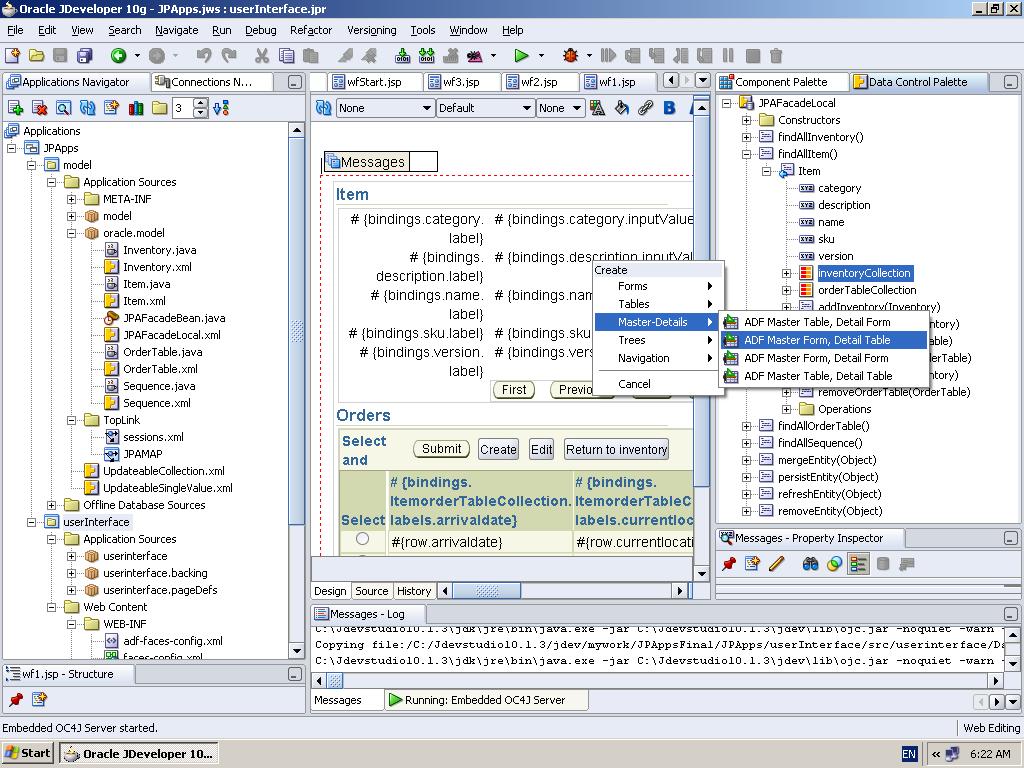
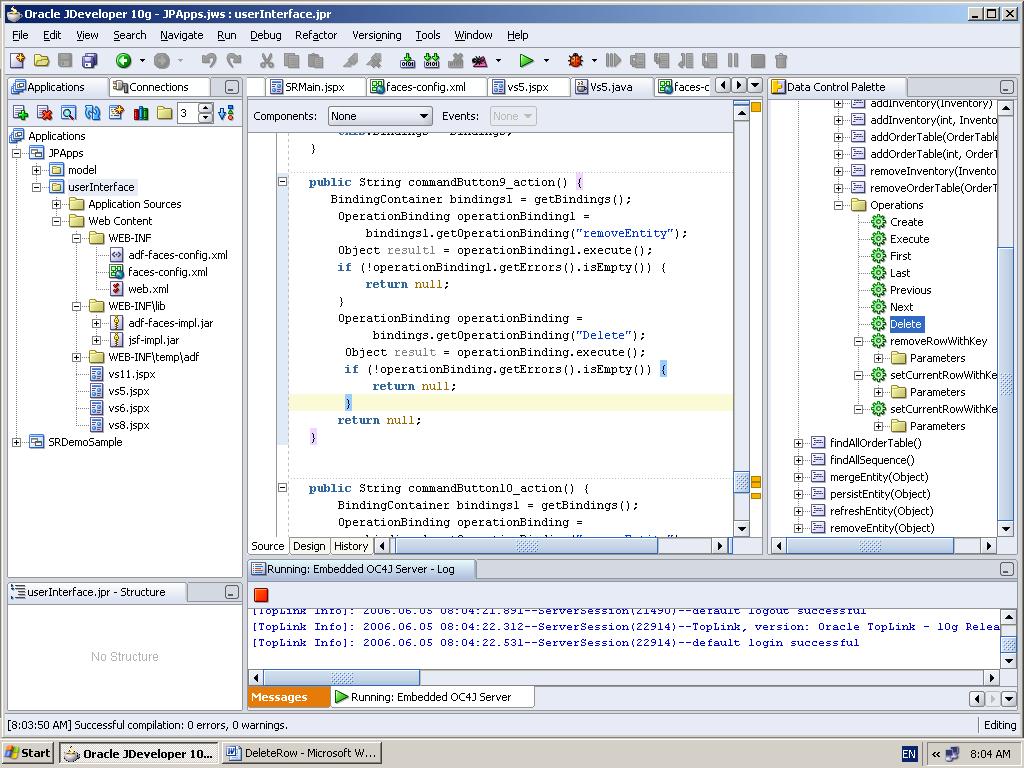
Drag and drop "Delete" button of OrderTable from Data Controls:


Action invoked by "Delete" button (manual intervention):


Code details:


public String commandButton9_action() {

// Delete row from table

BindingContainer bindings1 = getBindings();
OperationBinding operationBinding1 =
bindings1.getOperationBinding("removeEntity");
Object result1 = operationBinding1.execute();
if (!operationBinding1.getErrors().isEmpty()) {
return null;
}

// Refresh detail table screen view

OperationBinding operationBinding =
bindings.getOperationBinding("Delete");
Object result = operationBinding.execute();
if (!operationBinding.getErrors().isEmpty()) {
return null;
}
return null;
}


As of June 21 2006 I found out that described method works only in
Jdeveloper 10.1.3 environment, project stops working properly even been deployed to standalone OC4J instance shipped with Jdeveloper
The reason of mistake is restarting of embedded OC4J instance with apps every time when apps restarts. Otherwise Master – Detail page won’t be properly refreshed after joint invocation removeEntity() & Delete.

View workaround for mentioned issue:-

Refreshing Master-Detail JSF page after inserting or deleting row from Detail table

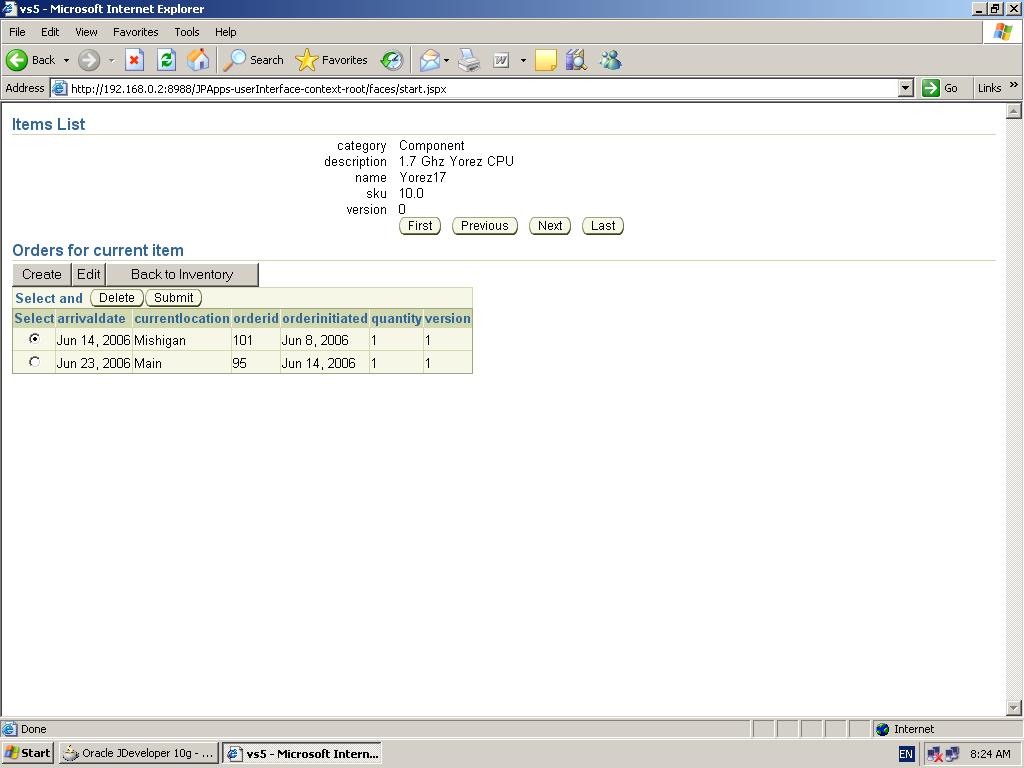
Runtime screenshots:

Main page:


Orders for particular item:


Creating new order:


References.
1.http://www.oracle.com/technology/products/ias/toplink/jpa/tutorials/jsf-jpa-tutorial.html
2.http://bderzhavets.blogspot.com/2006/05/build-web-application-jsf-using-jpa.html

Friday, May 19, 2006


Build a Web Application (JSF) Using JPA (OTN's Tutorial)


Performing steps advised by :

JPA tutorial at OTN

I was experiencing the only one issue with command

$ ant -f build.xml generate-tables

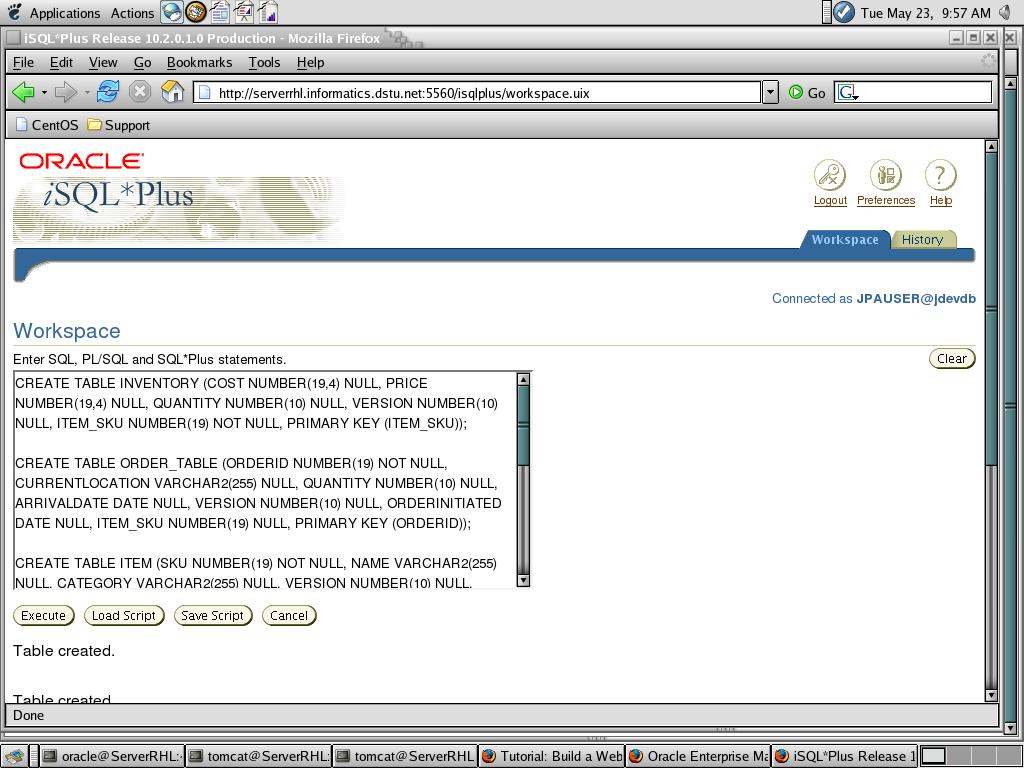
and had to create schema through SQLPLUS


CREATE TABLE INVENTORY (COST NUMBER(19,4) NULL, PRICE NUMBER(19,4) NULL,
QUANTITY NUMBER(10) NULL, VERSION NUMBER(10) NULL,
ITEM_SKU NUMBER(19) NOT NULL, PRIMARY KEY (ITEM_SKU));

CREATE TABLE ORDER_TABLE (ORDERID NUMBER(19) NOT NULL,
CURRENTLOCATION VARCHAR2(255) NULL, QUANTITY NUMBER(10) NULL,
ARRIVALDATE DATE NULL, VERSION NUMBER(10) NULL,
ORDERINITIATED DATE NULL, ITEM_SKU NUMBER(19) NULL, PRIMARY KEY (ORDERID));

CREATE TABLE ITEM (SKU NUMBER(19) NOT NULL, NAME VARCHAR2(255) NULL,
CATEGORY VARCHAR2(255) NULL, VERSION NUMBER(10) NULL,
DESCRIPTION VARCHAR2(255) NULL, PRIMARY KEY (SKU));

ALTER TABLE INVENTORY ADD CONSTRAINT FK_INVENTORY_ITEM_SKU FOREIGN KEY (ITEM_SKU)
REFERENCES ITEM (SKU);

ALTER TABLE ORDER_TABLE ADD CONSTRAINT FK_ORDER_TABLE_ITEM_SKU FOREIGN KEY (ITEM_SKU)
REFERENCES ITEM (SKU);

CREATE TABLE SEQUENCE (SEQ_NAME VARCHAR2(50) NOT NULL,
SEQ_COUNT NUMBER(38) NULL, PRIMARY KEY (SEQ_NAME));

INSERT INTO SEQUENCE(SEQ_NAME, SEQ_COUNT) values ('SEQ_GEN', 0);
COMMIT;


As was advised by Gordon Yorke at OTN Toplink Forum (05/25/06)


glassfish-persistence-installer-v2-b01.jar was replaced by glassfish-persistence-installer-v2-b03.jar

The replacement resolves the issue.

It also runs fine with the same oracle database credentials simply recreating the schema.

Actually , sequence of builds:-


ant -f build.xml generate-tables
ant -f build.xml populate-data
ant -f build.xml package.webapp


may run recreating schema, repopulating data and regenerating war-file at any time.

The JSF application using JPA was successfully deployed to TomCat 5.5.16 on CentOS 4.2 box
hosting Oracle 10gR2 database.

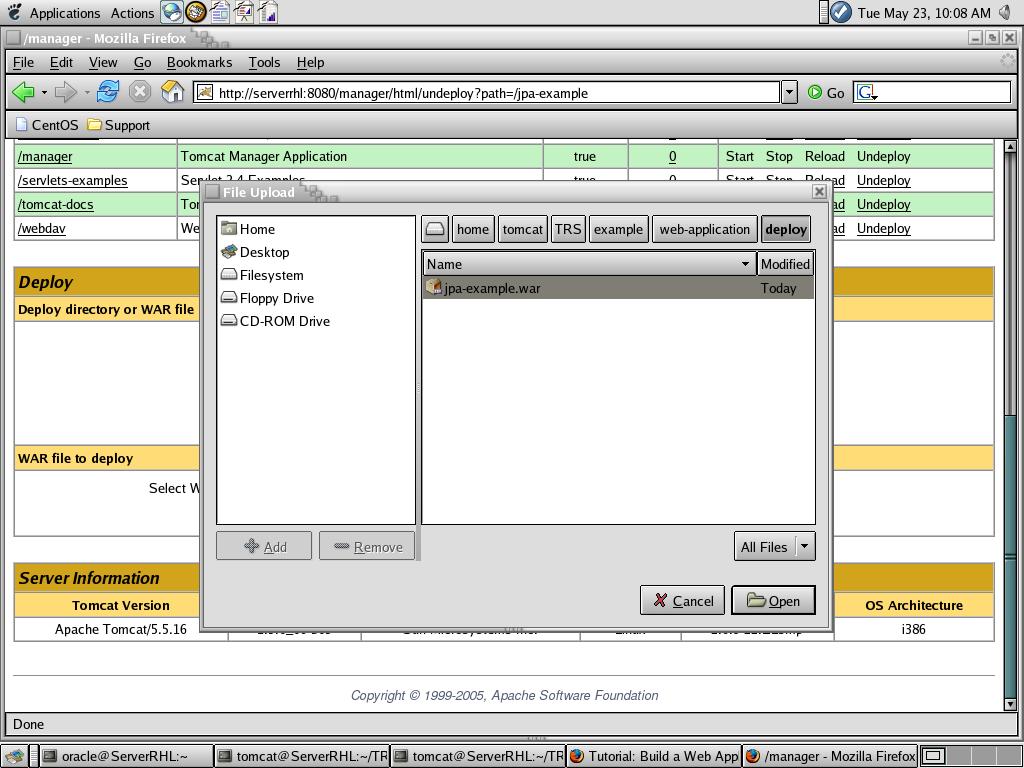
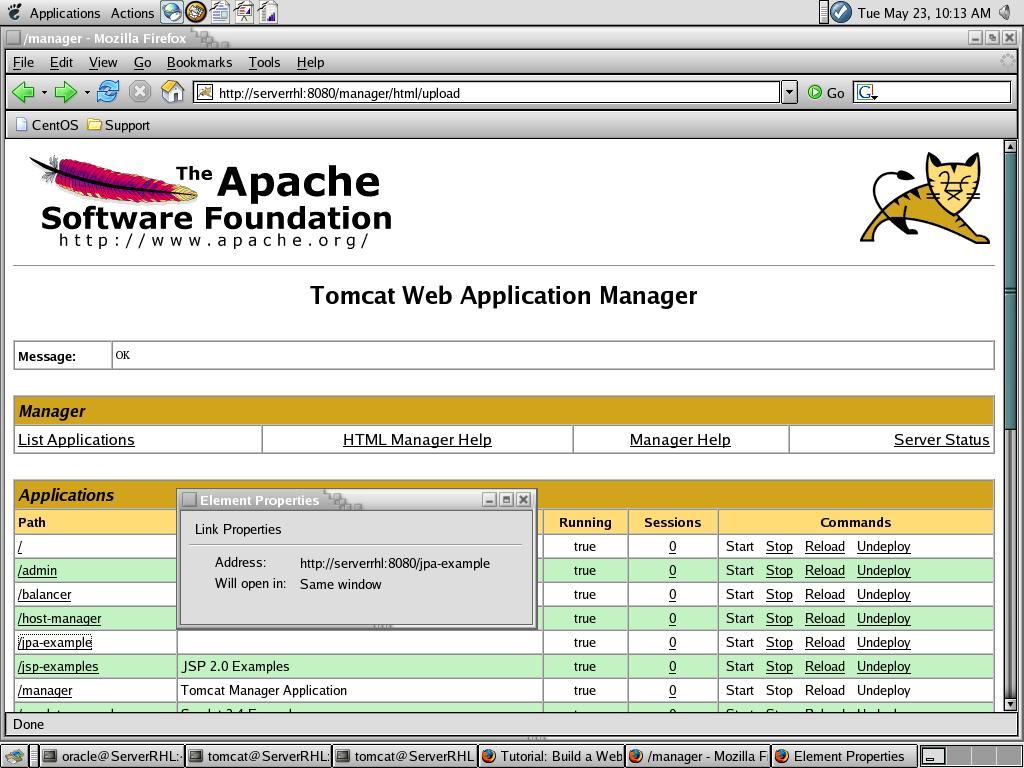
Deployment Web Application using TomCat's Application Manager :-


Completed OK.


The manual mentioned above shows the basic steps of developing, packaging, and

deploying a Web application using the EJB 3.0 Java Persistence API (JPA).

In this application, a Java Server Faces (JSF) presentation layer will make

use of JPA for persistence outside of the EJB 3.0 container.

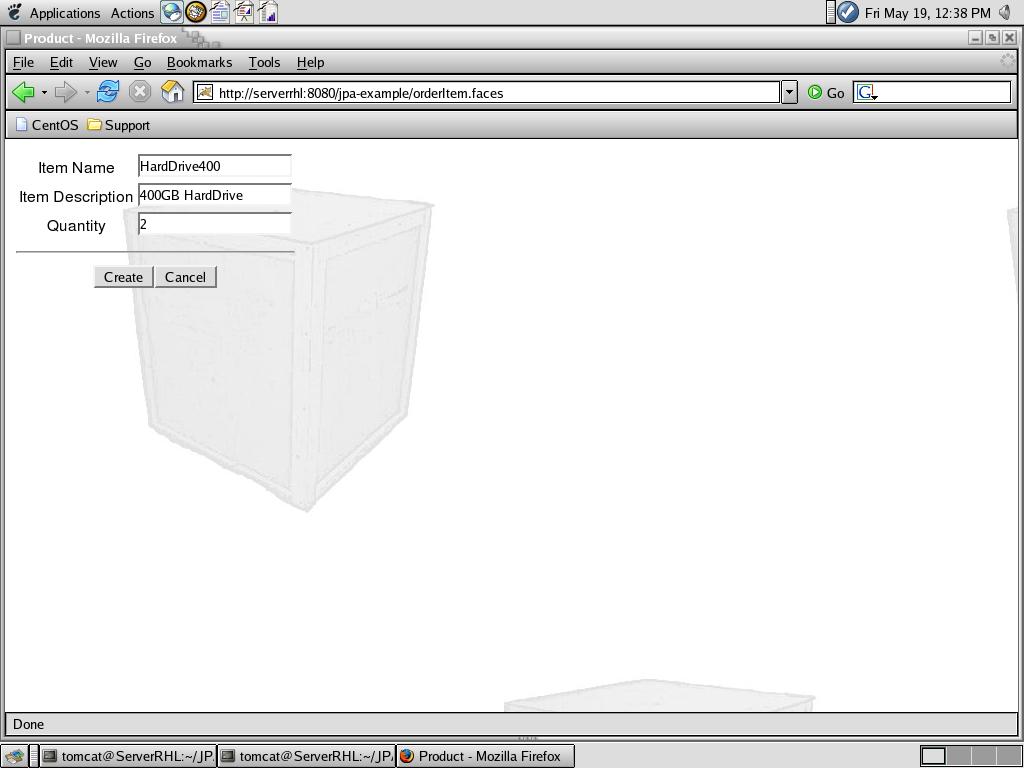
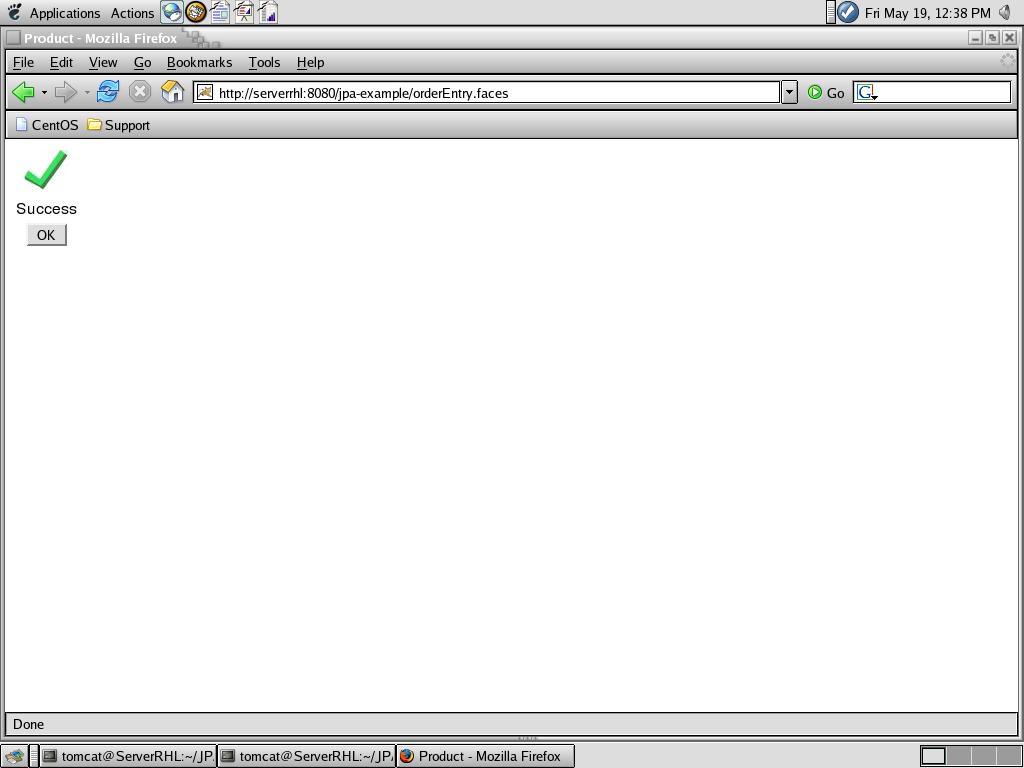
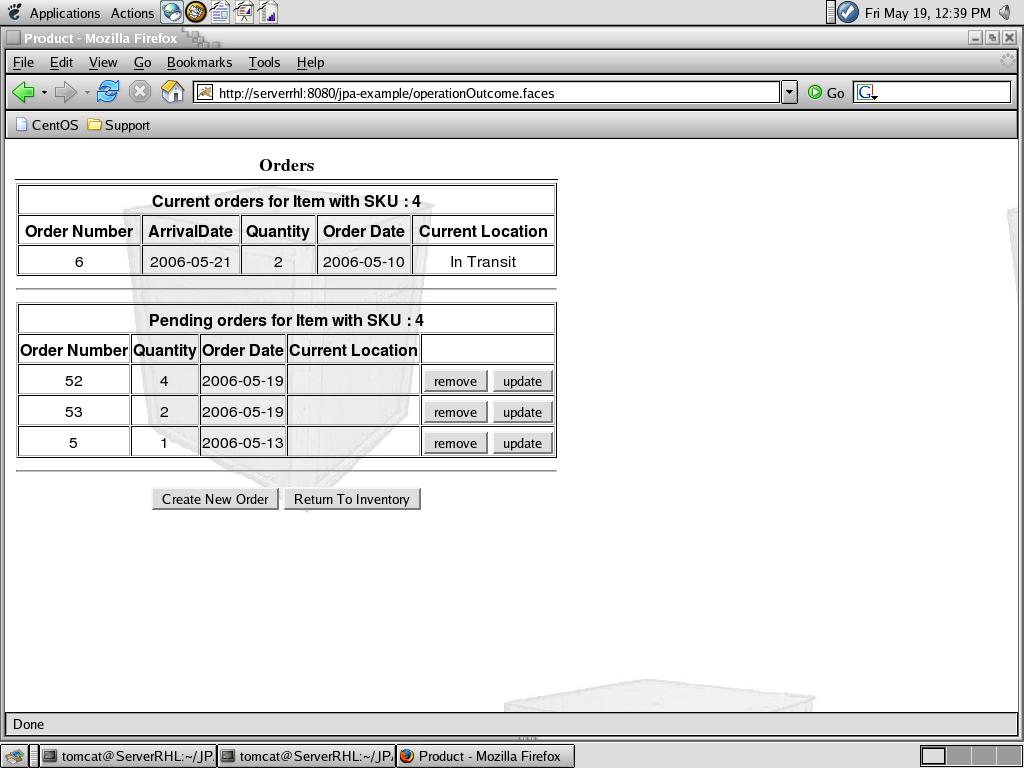
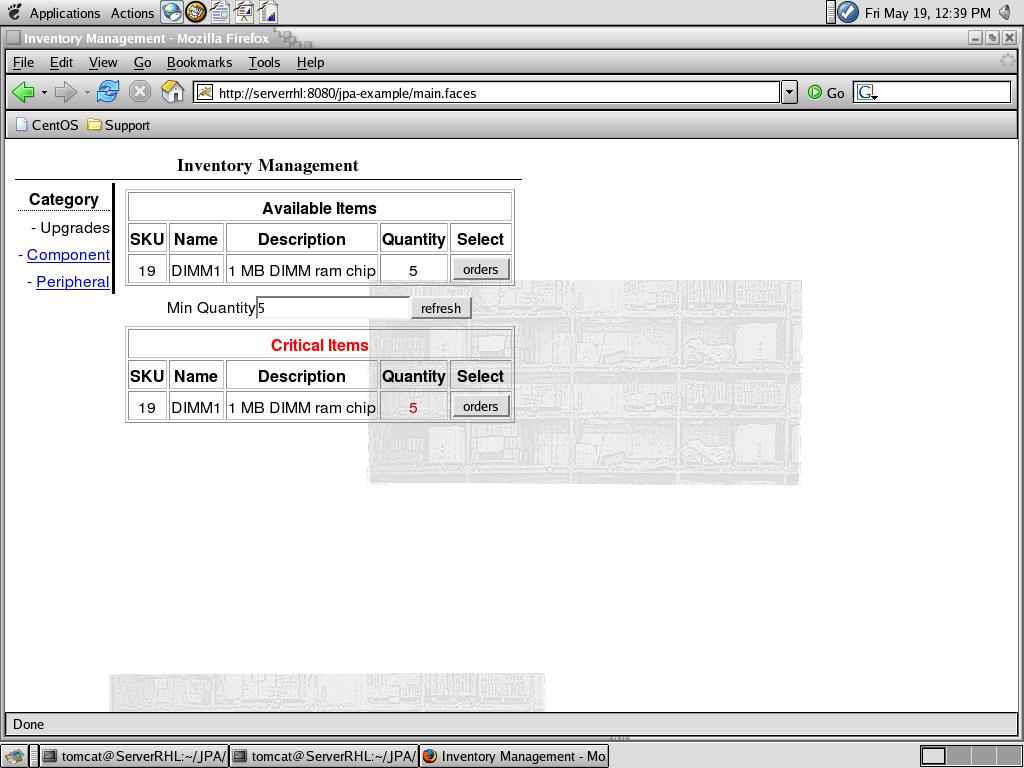
Runtime screenshots follows bellow:-


Sunday, April 30, 2006


Usage Datasource(JNDI API) for Oracle 10gR2 in TomCat 5.5.17 (on Linux).


Place into ./WEB-INF/lib/ file "ojdbc14.jar"

Create following directory structure and tune:-

files (./WEB-INF/web.xml & ./META-INF/context.xml) as follows

[tomcat@ServerRHL Jdevdb]$ ls -CR


.:
OraDataSrc.war index.html META-INF WEB-INF

./META-INF:
context.xml

./WEB-INF:
classes src web.xml

./WEB-INF/classes:
coreservlets

./WEB-INF/classes/coreservlets:
DbServlet.class

./WEB-INF/src:
DbServlet.java


*******************************
File ./META-INF/context.xml
*******************************


<Context debug="0" docBase="OraDataSrc" path="/OraDataSrc" reloadable="true">
<Resource name="jdbc/oracle10g"
auth="Container"
type="javax.sql.DataSource"
driverClassName="oracle.jdbc.driver.OracleDriver"
url="jdbc:oracle:thin:@ServerRHL.informatics.dstu.net:1521:jdvs"
username="hr"
password="hr"
maxActive="100"
maxIdle="10"/>
</Context>


*************************
File ./WEB-INF/web.xml
*************************


<?xml version="1.0" encoding="ISO-8859-1"?>
<web-app xmlns="http://java.sun.com/xml/ns/j2ee"
xmlns:xsi="http://www.w3.org/2001/XMLSchema-instance"
xsi:schemaLocation="http://java.sun.com/xml/ns/j2ee http://java.sun.com/xml/ns/j2ee/web-app_2_4.xsd"
version="2.4">

<resource-ref>
<description>Oracle Datasource example</description>
<res-ref-name>jdbc/oracle10g</res-ref-name>
<res-type>javax.sql.DataSource</res-type>
<res-auth>Container</res-auth>
</resource-ref>
<servlet>
<servlet-name>DbServlet</servlet-name>
<servlet-class>coreservlets.DbServlet</servlet-class>
</servlet>
<servlet-mapping>
<servlet-name>DbServlet</servlet-name>
<url-pattern>/servlet/coreservlets.DbServlet</url-pattern>
</servlet-mapping>
</web-app>


***********************************
File ./WEB-INF/src/DbServlet.java
***********************************


View [1] chapter 21.3


Then compile:-


[tomcat@ServerRHL src]$ javac -d /home/tomcat/Jdevdb/WEB-INF/classes DbServlet.java


Create OneOut.html and have index.jsp forward to this form:-


<!DOCTYPE HTML PUBLIC "-//W3C//DTD HTML 4.0 Frameset//EN">
<HTML>
<HEAD><TITLE>Servlet Connection Pooling: A Test</TITLE></HEAD>
<FRAMESET ROWS="*" BORDER=0 FRAMEBORDER=0 FRAMESPACING=0>
<FRAMESET COLS="*">
<FRAME SRC="/OraDataSrc/servlet/coreservlets.DbServlet">
</FRAMESET>
</HTML>


Then:-


[tomcat@ServerRHL Jdevdb]$ ls -l

total 32

-rw-rw-r-- 1 tomcat tomcat 351 Apr 29 13:45 index.jsp

-rw-rw-r-- 1 tomcat tomcat 351 Apr 29 13:45 OneOut.html

drwxrwxr-x 2 tomcat tomcat 4096 Apr 29 13:23 META-INF

drwxr-xr-x 4 tomcat tomcat 4096 Apr 29 13:31 WEB-INF


[tomcat@ServerRHL Jdevdb]$ jar cvf OraDataSrc.war .


Deploy OraDataSrc.war and run.


Have index.jsp forward to MultipleOut.html form:-


<!DOCTYPE HTML PUBLIC "-//W3C//DTD HTML 4.0 Frameset//EN">
<HTML>
<HEAD><TITLE>Servlet Connection Pooling A Test</TITLE></HEAD>
<!-- Causes 25 near simultaneous requests for same servlet. -->
<FRAMESET ROWS="*,*,*,*,*" BORDER=0 FRAMEBORDER=0 FRAMESPACING=0>
<FRAMESET COLS="*,*,*,*,*">
<FRAME SRC="/OraDataSrc/servlet/coreservlets.DbServlet">
</FRAMESET>
<FRAMESET COLS="*,*,*,*,*">
<FRAME SRC="/OraDataSrc/servlet/coreservlets.DbServlet">
</FRAMESET>
<FRAMESET COLS="*,*,*,*,*">
<FRAME SRC="/OraDataSrc/servlet/coreservlets.DbServlet">
</FRAMESET>
<FRAMESET COLS="*,*,*,*,*">
<FRAME SRC="/OraDataSrc/servlet/coreservlets.DbServlet">
</FRAMESET>
<FRAMESET COLS="*,*,*,*,*">
<FRAME SRC="/OraDataSrc/servlet/coreservlets.DbServlet">
</FRAMESET>
</FRAMESET>
</HTML>


Redeploy application and run


1. One More Servlet,creating input form by itself, to test :-


package coreservlets;
import java.sql.*;
import javax.naming.Context;
import javax.naming.InitialContext;
import javax.naming.NamingException;
import javax.sql.*;
import javax.servlet.*;
import javax.servlet.http.*;

public class DatabaseServlet extends HttpServlet {
DataSource datasrc;
public void init() throws ServletException {
try {
Context initCtx = new InitialContext();
Context envCtx = (Context) initCtx.lookup("java:comp/env");
datasrc = (DataSource) envCtx.lookup ("jdbc/oracle10g");
if (datasrc == null)
throw new ServletException ("'Oracle10g' is unknown DataSource");
} catch (NamingException ne) { throw new ServletException(ne.getMessage());
} //try
}


public void doGet (HttpServletRequest request,HttpServletResponse response)
throws javax.servlet.ServletException, java.io.IOException {
response.setContentType ("text/html");
java.io.PrintWriter out = response.getWriter();

out.println ("<html><head>");
out.println ("<title>Help page</title></head><body>");
out.println ("<h2>Please submit SQL Query </h2>");
out.println ("<form method=\"post\" action=\"" + request.getContextPath() +
"/servlet/coreservlets.DatabaseServlet\">");
out.println ("<table border=\"1\"><tr> <td valign=\"top\">");
out.println ("</td> <td valign=\"top\">");
out.println("<input type=\"text\" name=\"sqlstring\" size=\"60\">");
out.println("</td></tr>");
out.println("</table><form>");
out.println("<p>");
out.println("<input type=\"submit\" value=\"Submit Query\">");
out.println("</body></html>");
} // doGet

public void doPost (HttpServletRequest request,HttpServletResponse response)
throws ServletException,java.io.IOException {

String sql = request.getParameter("sqlstring");
Connection conn = null;
Statement stmt = null;
ResultSet rs = null;
ResultSetMetaData rsm = null;
response.setContentType("text/html");
java.io.PrintWriter out = response.getWriter();
out.println("<html><head><title> Servlet Database Access </title></head><body>");
out.println("<h4> Database Info </h4>");
out.println("<table border = \"1\"> <tr>");
try {
conn = datasrc.getConnection();
stmt = conn.createStatement();
rs = stmt.executeQuery(sql);
rsm = rs.getMetaData();
int colCount = rsm.getColumnCount();
for (int i = 1; i <= colCount; ++i) {
out.println("<th>" + rsm.getColumnName(i) + "</th>");
}
out.println("</tr>");
while (rs.next()) {
for (int i = 1; i <= colCount; ++i)
out.println("<td>" + rs.getString(i) + "</td>");
out.println("</tr>");
}
} catch (Exception e) {
throw new ServletException(e.getMessage());
} finally {
try {
if (stmt != null)
stmt.close();
if (conn != null)
conn.close();
} catch (SQLException sqle) {}
} //finally
out.println("</table><br><br>");
out.println("</body>");
out.println("</html>");
} //doPost
}


HTML form to invoke DatabaseServlet:-


<HTML>
<BODY>
<a href="servlet/DatabaseServlet" >Run Database Servlet </a>
</BODY>
</HTML>


File ./WEB-INF/web.xml should also have "DbServlet" replaced by "DatabaseServlet".


2. JSP example - OraData.jsp :-


<html>
<head>
<%@ page errorPage="errorpg.jsp"
import="java.sql.*,
javax.naming.Context,
javax.naming.InitialContext,
javax.naming.NamingException,
javax.sql.*,
javax.servlet.*,
javax.servlet.http.*" %>
</head>
<body>
<%!
DataSource datasrc ;
public void _jspInit() {
try {
Context initCtx = new InitialContext();
Context envCtx = (Context) initCtx.lookup("java:comp/env");
datasrc = (DataSource) envCtx.lookup ("jdbc/oracle10g");
} catch (NamingException ne) {ne.getMessage();}
}
%>

<%
Connection conn = datasrc.getConnection();
Statement stmt = conn.createStatement();
String sqlquery = request.getParameter("sqlquery");
ResultSet rs = stmt.executeQuery(sqlquery);
ResultSetMetaData rsm = rs.getMetaData();
int colCount = rsm.getColumnCount();
%>
<table border = \"1\"> <tr>
<% for (int i = 1; i <= colCount; ++i) { %>
<th> <%= rsm.getColumnName(i) %> </th>
<% } %>
</tr>
<tr>
<% while (rs.next()) {
for (int j = 1; j <= colCount; ++j) { %>
<td> <%= rs.getString(j) %> </td>
<% } %>
</tr>
<% }
stmt.close();
conn.close();
%>
</table>
</body>
</html>


HTML form to run OraData.jsp:-


<html>
<head>
<title>Help page</title>
</head>
<body>
<h2>Please submit SQL Query </h2>
<form method="get" action="/OraDataSrc/OraData.jsp">
<table border="1">
<tr> <td valign="top">
<input type="text" name="sqlquery" size="60">
</td></tr>
</table></form>
<p>
<input type="submit" value="Submit Query">
</body>
</html>


$ ant -f build.xml


Servlet OraData_jsp.java generated by "ant":-


package org.apache.jsp;

import javax.servlet.*;
import javax.servlet.http.*;
import javax.servlet.jsp.*;
import java.sql.*;
import javax.naming.Context;
import javax.naming.InitialContext;
import javax.naming.NamingException;
import javax.sql.*;
import javax.servlet.*;
import javax.servlet.http.*;

public final class OrclData_jsp extends org.apache.jasper.runtime.HttpJspBase
implements org.apache.jasper.runtime.JspSourceDependent {


DataSource datasrc ;

public void _jspInit() {
try {
Context initCtx = new InitialContext();
Context envCtx = (Context) initCtx.lookup("java:comp/env");
datasrc = (DataSource) envCtx.lookup ("jdbc/oracle10g");
} catch (NamingException ne) {ne.getMessage();
}
}

private static java.util.List _jspx_dependants;

public Object getDependants() {
return _jspx_dependants;
}

public void _jspService (HttpServletRequest request, HttpServletResponse response)
throws java.io.IOException, ServletException {

JspFactory _jspxFactory = null;
PageContext pageContext = null;
HttpSession session = null;
ServletContext application = null;
ServletConfig config = null;
JspWriter out = null;
Object page = this;
JspWriter _jspx_out = null;
PageContext _jspx_page_context = null;


try {
_jspxFactory = JspFactory.getDefaultFactory();
response.setContentType("text/html");
pageContext = _jspxFactory.getPageContext(this, request, response,
"errorpg.jsp", true, 8192, true);
_jspx_page_context = pageContext;
application = pageContext.getServletContext();
config = pageContext.getServletConfig();
session = pageContext.getSession();
out = pageContext.getOut();
_jspx_out = out;

out.write("<html>\n<head>\n\n</head>\n<body>\n");
out.write(' ');
out.write('\n');

Connection conn = datasrc.getConnection();
Statement stmt = conn.createStatement();
String sqlquery = request.getParameter("sqlquery");
ResultSet rs = stmt.executeQuery(sqlquery);
ResultSetMetaData rsm = rs.getMetaData();
int colCount = rsm.getColumnCount();

out.write("\n<table border = \\\"1\\\"> <tr>\n");
for (int i = 1; i <= colCount; ++i) {
out.write("\n<th> ");
out.print( rsm.getColumnName(i) );
out.write(" </th>\n");
}
out.write("\n</tr>\n<tr>\n");
while (rs.next()) {
for (int j = 1; j <= colCount; ++j) {
out.write("\n<td> ");
out.print( rs.getString(j) );
out.write(" </td>\n");
}
out.write("\n</tr>\n");
}
stmt.close();
conn.close();

out.write("\n</table>\n</body>\n</html>\n");
} catch (Throwable t) {
if (!(t instanceof SkipPageException)){
out = _jspx_out;
if (out != null && out.getBufferSize() != 0)
out.clearBuffer();
if (_jspx_page_context != null) _jspx_page_context.handlePageException(t);
}
} finally {
if (_jspxFactory != null) _jspxFactory.releasePageContext(_jspx_page_context);
}
}
}


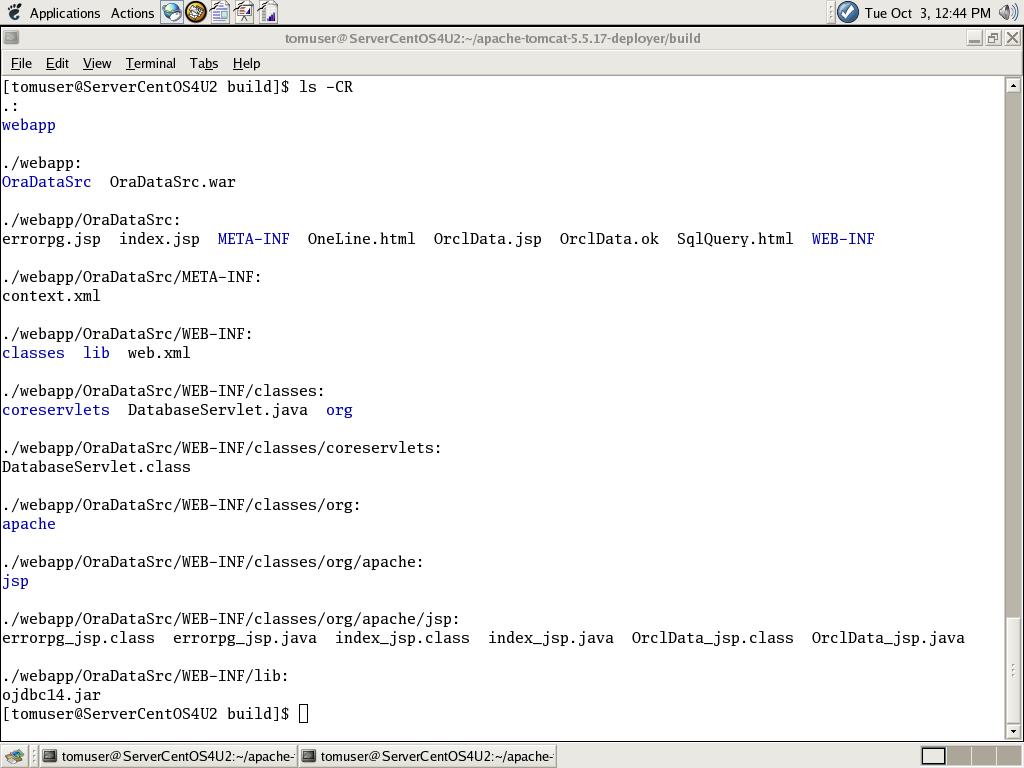
Web application been compiled by "ant" files layout:-


$ ant -f build.xml deploy


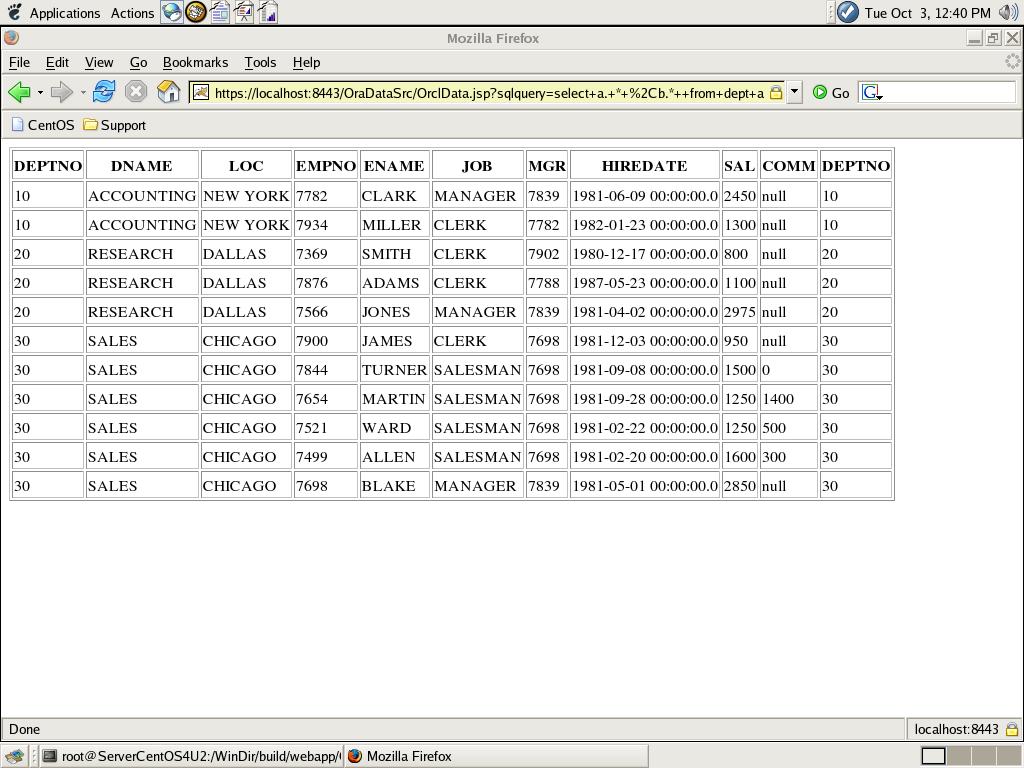
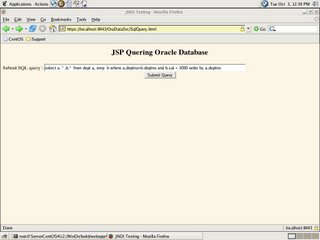
Then launch browser to "https://localhost:8443"
and run application from Manager Screen.


References.

1.Java Servlet and JSP Cookbook. Bruce W. Perry, O'REILLY 2004

2.Core Servlets and Java Server Pages,Marty Hall,Sun Press 2001

Thursday, March 23, 2006


Embedding customs Queries into Session EJB 3.0 based on Toplink POJOs


1. Create application workspace HRApps with Struts,JSP,ADF template.


2. Generate Toplink Mapping for project Model and two pojos

Employees.java and Departments.java for offline tables hr.employees,hr.departments.


3.Implement "Serializable" for both of created objects as follows:-


Public class Employees implements java.io.Serializable {

}
. . .

Public class Departments implements java.io.Serializable {

}
. . .


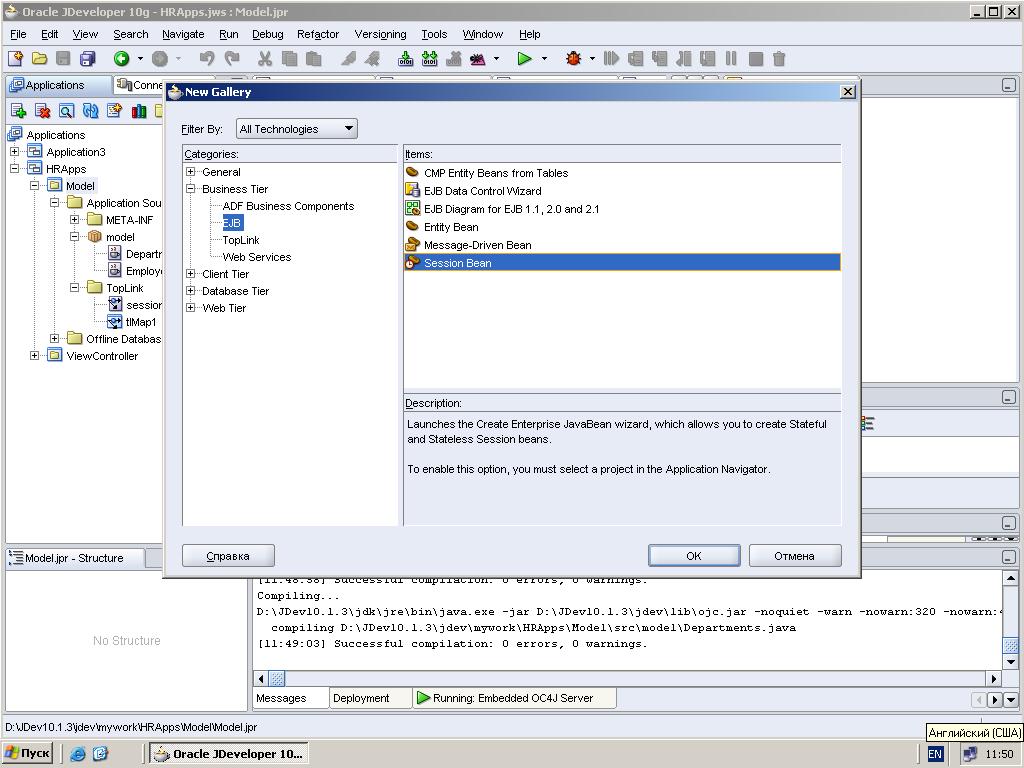
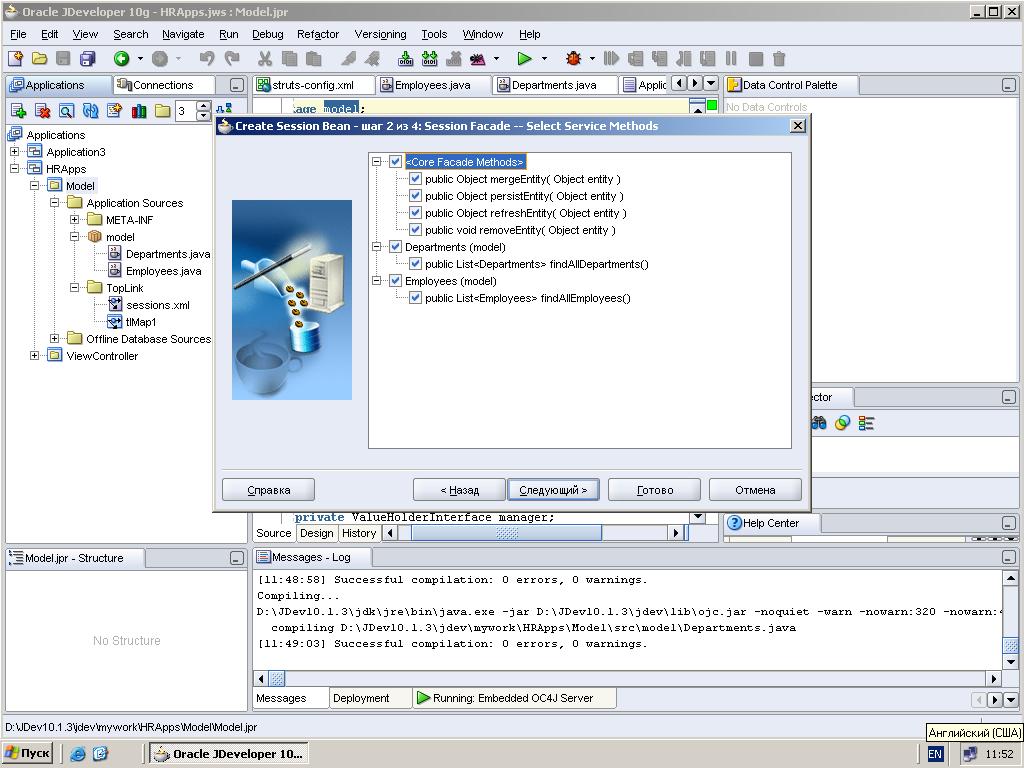
4. Invoke wizard for session EJB 3.0 creation.


Select Toplink POJOs.


Generate all default methods suggested:


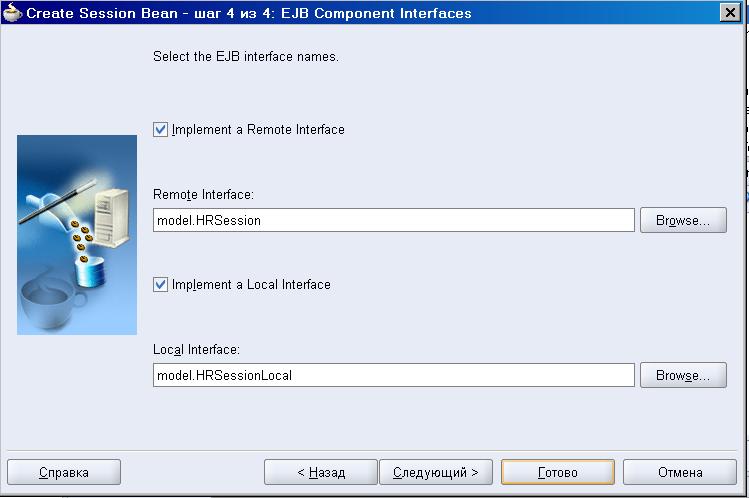
Select Remote and Local interface.

Otherwise you won't be able to create "New Sample Java Client"

when working with remote Oracle Database.


Right click on HRSessionBean and select "Create Data Control"


5.Add to HRSessionBean.java:-


public List findEmpInfo(String jobId) {
Session session = getSessionFactory().acquireSession();
Expression exp = new ExpressionBuilder().get("jobId").equal(jobId);
List results =(List) session.readAllObjects ( Employees.class,exp);
session.release();
return results;
}


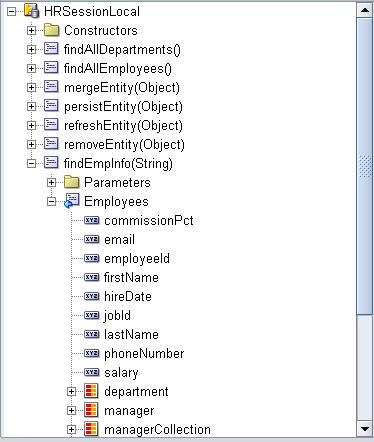
Switch to Structure Window;-

Right click on "findEmpInfo" node.Select Properties and select remote and local interface.

Recreate Data Control for HRSessionBean.

Create new sample Java Client and add right after
// hRSession.findEmpInfo( jobId ) to HRSessionClient.Java;


String custJobid = new String("IT_PROG");
java.util.List emps = hRSession.findEmpInfo(custJobid);
for (Employees emp : emps) {
System.out.println(emp.getEmployeeId()+ ":" + emp.getJobId() + ": " + emp.getLastName());
}


Run HRSessionBean and then run HRSessionClient . Watch report in log window.


Creating JSF page to perform custom query.


Create search form by dropping an existing method that contains

the logic to find and return the records based on parameters.

This method must already exist on the data control.


This method finds and returns all employees with desired "JobId"
To create the search form, drop the method as a parameter form. Then drop the returned collection as a table to display the results

To create a search form and results table:

1. From the Data Control Palette, drag a find method that takes parameters.

2. From the context menu, choose Parameters > ADF Parameter Form.

3. From the Data Control Palette, drag the return of that method and drop it as any type of table.


Create one more JSF page utilizing HRSessionBean's Data Controls based on automatically generated methods :


Now implement JSF Navigation cases:-


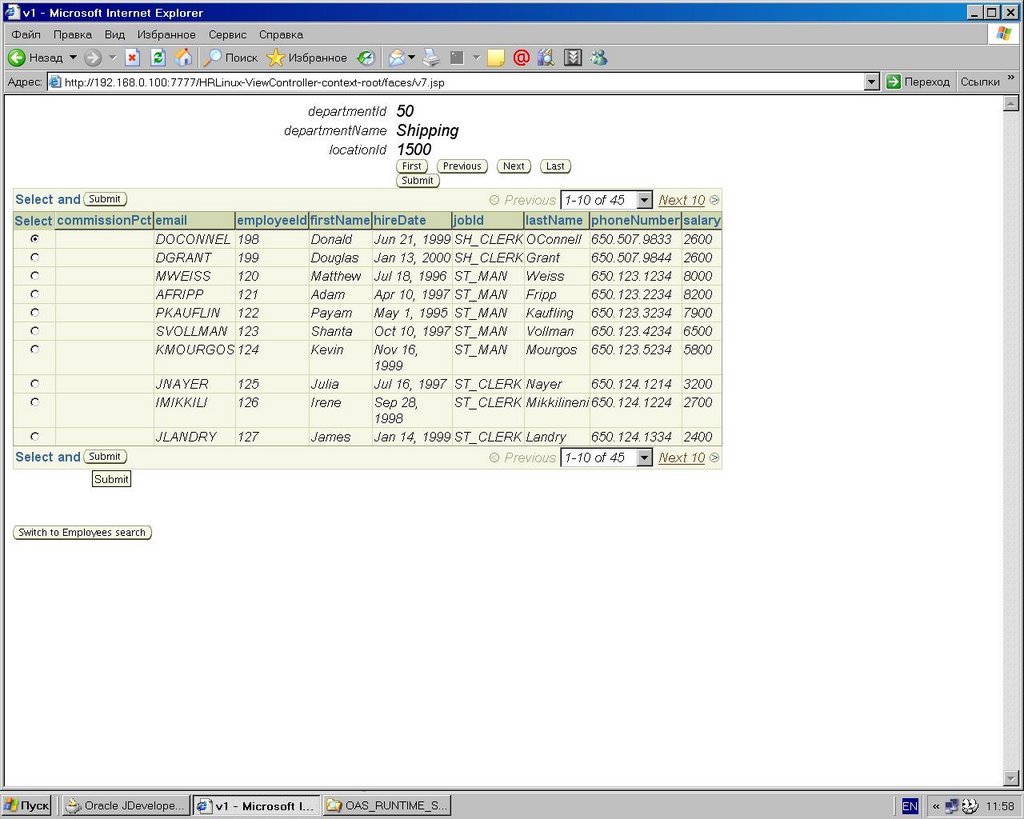
Run time screenshots of both pages of View Controller Project been deployed to OAS 10.1.3 on CentOS 4.1 (Linux) Box :


Sunday, March 19, 2006


Embedding custom Queries into Session EJB 3.0 based on Toplink POJOs in JDeveloper 10.1.3 environment.


1. Create application workspace HRApps with Struts,JSP,ADF template.


2. Generate Toplink Mapping for project Model and two pojos

Employees.java and Departments.java for offline tables hr.employees,hr.departments.


3.Implement "Serializable" for both of created objects as follows:-


Public class Employees implements java.io.Serializable {

}
. . .

Public class Departments implements java.io.Serializable {

}
. . .


4. Invoke wizard for session EJB 3.0 creation.


Select Toplink POJOs.


Generate all default methods suggested:


Select Remote and Local interface.

Otherwise you won't be able to create "New Sample Java Client"

when working with remote Oracle Database.


Right click on HRSessionBean and select "Create Data Control"


5.Add to HRSessionBean.java:-


public List findEmpInfo(String jobId) {
Session session = getSessionFactory().acquireSession();
Expression exp = new ExpressionBuilder().get("jobId").equal(jobId);
List results =(List) session.readAllObjects ( Employees.class,exp);
session.release();
return results;
}


Switch to Structure Window;-

Right click on "findEmpInfo" node.Select Properties and select remote and local interface.

Recreate Data Control for HRSessionBean.

Create new sample Java Client and add right after
// hRSession.findEmpInfo( jobId ) to HRSessionClient.Java;


String custJobid = new String("IT_PROG");
java.util.List emps = hRSession.findEmpInfo(custJobid);
for (Employees emp : emps) {
System.out.println(emp.getEmployeeId()+ ":" + emp.getJobId() + ": " + emp.getLastName());
}


Run HRSessionBean and then run HRSessionClient . Watch report in log window.


Creating JSF page to perform custom query.


Create search form by dropping an existing method that contains

the logic to find and return the records based on parameters.

This method must already exist on the data control.


This method finds and returns all employees with desired "JobId"
To create the search form, drop the method as a parameter form. Then drop the returned collection as a table to display the results

To create a search form and results table:

1. From the Data Control Palette, drag a find method that takes parameters.

2. From the context menu, choose Parameters > ADF Parameter Form.

3. From the Data Control Palette, drag the return of that method and drop it as any type of table.


Create one more JSF page utilizing HRSessionBean's Data Controls based on automatically generated methods :


Now implement JSF Navigation cases:-


Run time screenshots of both pages of View Controller Project been deployed to OAS 10.1.3 on CentOS 4.1 (Linux) Box :


Wednesday, February 22, 2006


Embedding Toplink Queries into Session EJB in JDeveloper 10.1.2 environment.


Suppose that JSP displaying Customer_WS_VIEW based on Toplink mapping

exactly as in [1] has been created.

Stop doing workshop [1] and switch to adding Session EJB to CustomerMaintenance

Workspace with intend to encapsulate into newly created OEFacade (SessionEJB) methods

performing queries against Customer_WS_VIEW based on Toplink API


1.Select CustomerMaintenance Workspace and right click on it.

In the New Gallery, select Empty Project in the Items list and click OK.

In the Create Project dialog, rename the project as BusinessServices and click OK.


Common > Input Paths > Default Package: oe.business

Common > Dependencies: ViewController.jpr ,Model.jpr

Common > Technology Scope


Select Enterprise JavaBeans in the Available Technologies and click the shuttle button

to move to Selected Technologies


Libraries:

Select TopLink in the Available Libraries and click the shuttle button to move to Selected Libraries


2.In the Applications Navigator, right-click the BusinessServices project and choose New from the context menu.

In the New Gallery, expand the Business Tier node in the Categories list and select Enterprise JavaBeans.

In the Items list, select EJB Diagram and click OK.

In the Create EJB Diagram dialog, set the following:


Name: OE EJB Diagram

Package: oe.business.uml


In the Component Palette, select Session Bean and click on the EJB Diagram surface.

(If the Component Palette is not visible, launch it by choosing

View | Component Palette from the menu.) Skip the Welcome page,

and in Step 1 of 4 of the Create Enterprise JavaBean Wizard,

select Enterprise JavaBeans 2.0 from the drop down list, then click Next.

In Step 2 of 4 of the wizard, rename the EJB as OEFacade, then click Next.

In Step 3 of 4 of the wizard, accept the defaults and click Next.In Step 4 of 4

of the wizard, select both check boxes to include both types of interfaces (local and remote),

click Next, and then click Finish on the summary page.


3. In the Model project, select CustomersWsView.java in the model

package and choose Tools | Implement Interface.... from the menu.


From the Available interface list select the java.io.Serializable class and click OK.

Click the Save All button to save your work.


4. In the EJB Diagram, double-click the OEFacade EJB to launch the EJB Module editor.

Select OEFacade : Methods in the left hand navigator

On the right hand side panel , choose Business Methods in Method category and click Add.

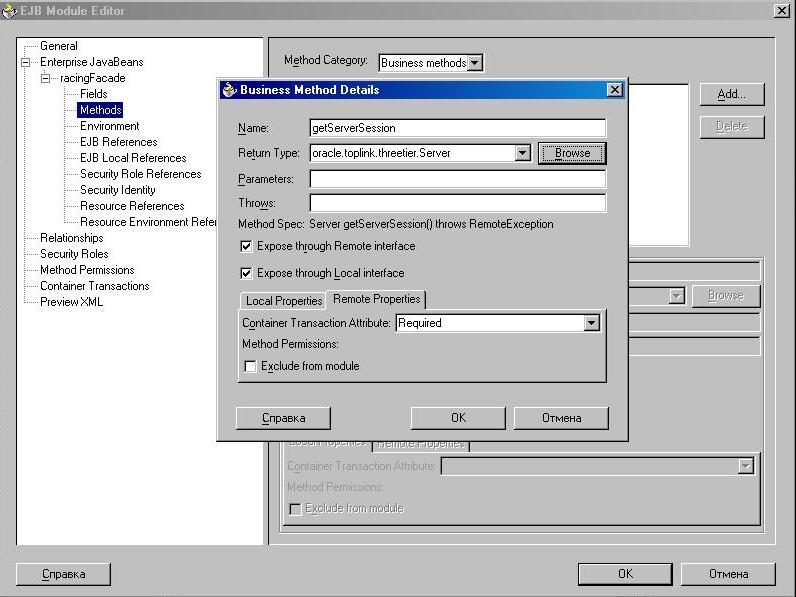
In the Business Method Details dialog, set the following method :


Name : getServerSession
Return type: oracle.toplink.threetier.Server
Select both :Expose through Local & Remote interfaces


Go to OEFacade Bean Class and add:-


public void setServerSession(Server serverSession)
{
//this.serverSession = serverSession;
ServerSession aSession = (ServerSession)SessionManager.getManager().getSession("ServerSession");
}

public Server getServerSession()
{
String tl_ddFileName =
"/META-INF/Model/toplink-deployment-descriptor.xml";
ClassLoader appClassLoader = Thread.currentThread().getContextClassLoader();
oracle.toplink.sessions.Project project = XMLProjectReader.read(tl_ddFileName,
appClassLoader);
DatabaseLogin loginInfo = project.getLogin();
loginInfo.getPlatform().getConversionManager().setLoader(appClassLoader);
oracle.toplink.threetier.Server server = project.createServerSession();
server.login();
return server;
}


In the EJB Diagram, double-click the OEFacade EJB to launch the EJB Module editor.

Select OEFacade : Methods in the left hand navigator

On the right hand side panel , choose Business Methods in Method category and click Add.

In the Business Method Details dialog, set the following method


Name: CustService
Return Type: java.util.Collection
Parameters: Integer custId
Select both :Expose through Local & Remote interfaces


Go to OEFacade Bean Class and add:-


public Collection CustService(Integer custId)
{
oracle.toplink.threetier.Server server = getServerSession();
Session tlsession = (Session) server.acquireClientSession();
tlsession.logMessages();
UnitOfWork uow = tlsession.acquireUnitOfWork();
Expression exp = new ExpressionBuilder().get("custId").equal(custId);
Vector customerswsview = tlsession.readAllObjects(CustomersWsView.class, exp);
return customerswsview;
}


In the EJB Diagram, double-click the OEFacade EJB to launch the EJB Module editor.

Select OEFacade : Methods in the left hand navigator

On the right hand side panel , choose Business Methods in Method category and click Add.

In the Business Method Details dialog, set the following method :


Name: CustLNService
Return Type: java.util.Collection
Parameters: String custNameLast
Select both :Expose through Local & Remote interfaces


Go to OEFacade Bean Class and add:-


public Collection CustLNService(String custNameLast)
{
oracle.toplink.threetier.Server server = getServerSession();
Session tlsession = (Session) server.acquireClientSession();
tlsession.logMessages();
UnitOfWork uow = tlsession.acquireUnitOfWork();
Expression exp = new ExpressionBuilder().get("custNameLast ").like(custNameLast);
Vector customerswsview = tlsession.readAllObjects(CustomersWsView.class, exp);
return customerswsview;
}


1. Create Data Control for Racing Façade EJB

2. Click on OEFacadeDataControl.xml and switch to Structure window.

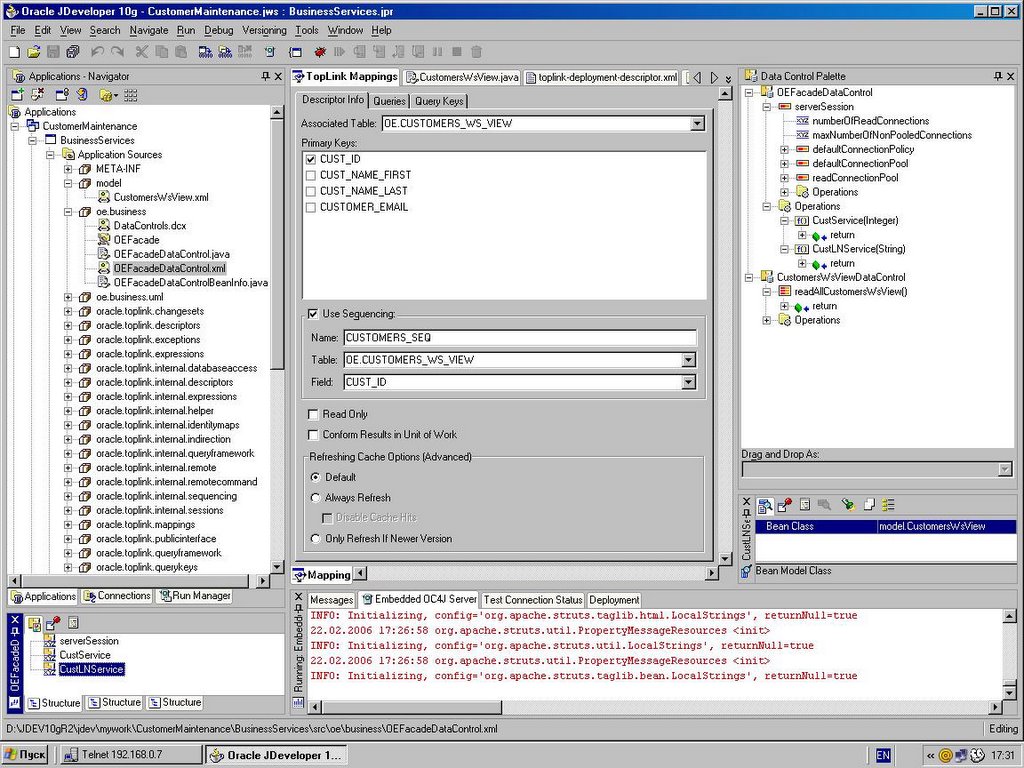
3. Define java bean for nodes CustService and CustNLService as model.CustomersWsView.java


Data Controls should be fine now


Test method been added:-


Create new client OEFacadeClient.java.

Add to OEFacadeClient.java:


String custNameLast = new String(“%S%”);

Collection col = oEFacade.CustLNService(custNameLast);
Iterator it = col.iterator();
while (it.hasNext())
{
CustomersWsView customerswsview = (CustomersWsView)it.next();
System.out.println("Id: " + customerswsview. getCustId());
System.out.println("First Name: " + customerswsview. getCustNameFirst ());
System.out.println("Last Name: " + customerswsview. getCustNameLast ());
}

import java.util.Collection;
import java.util.Iterator;
import model.CustomersWsView;


References.

Building Oracle ADF Applications: Workshop

1.http://www.oracle.com/technology/obe/obe9051jdev/ide1012/adfworkshop/buildingadfapplicationsworkshop.htm